
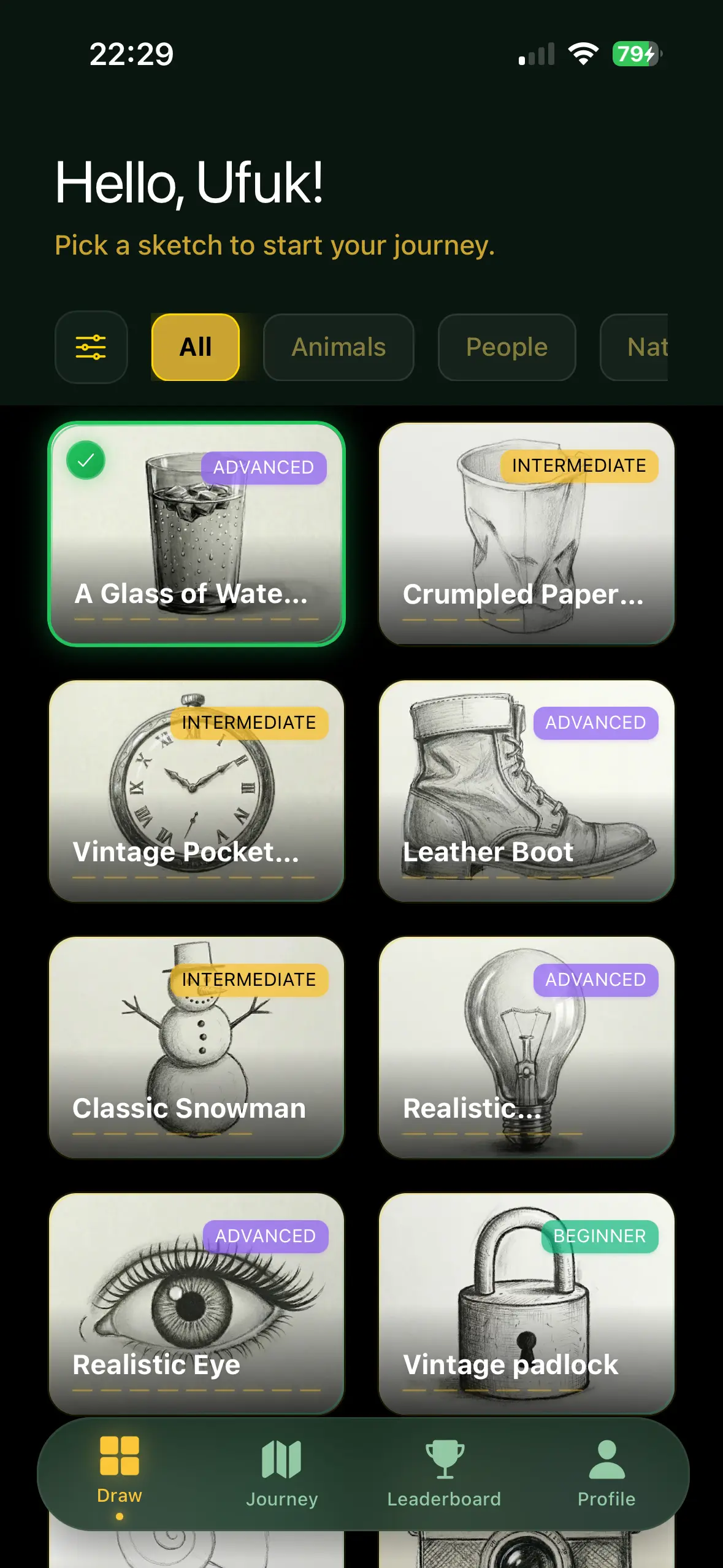
Pick a subject fast
Start from guided subjects instead of wondering what to draw.
Guidart helps beginners learn how to draw on paper with their phone, follow step-by-step lessons, build a daily drawing practice, and improve with AI drawing tutor feedback.
Everything beginners need to draw on paper, follow step-by-step lessons, and improve with AI feedback.
Follow beginner-friendly drawing guides that break complex sketches into simple stages you can finish with confidence.
Use your phone to project guided lines onto real paper and practice AR drawing with better alignment and control.
Listen to step-by-step voice hints. Keep your eyes on your drawing, not the screen.
Get AI drawing tutor feedback on your practice so you can spot weak proportions, improve shapes, and build better habits faster.
Build a habit with daily challenges and streak tracking. Keep the creativity flowing.
Climb the leaderboards and share your masterpieces with a supportive community.
Guidart turns beginner drawing practice into a structured workflow you can repeat every day on iPhone and iPad.
Explore beginner-friendly references, AR drawing ideas, and guided subjects organized by theme and difficulty so you always know what to draw next.
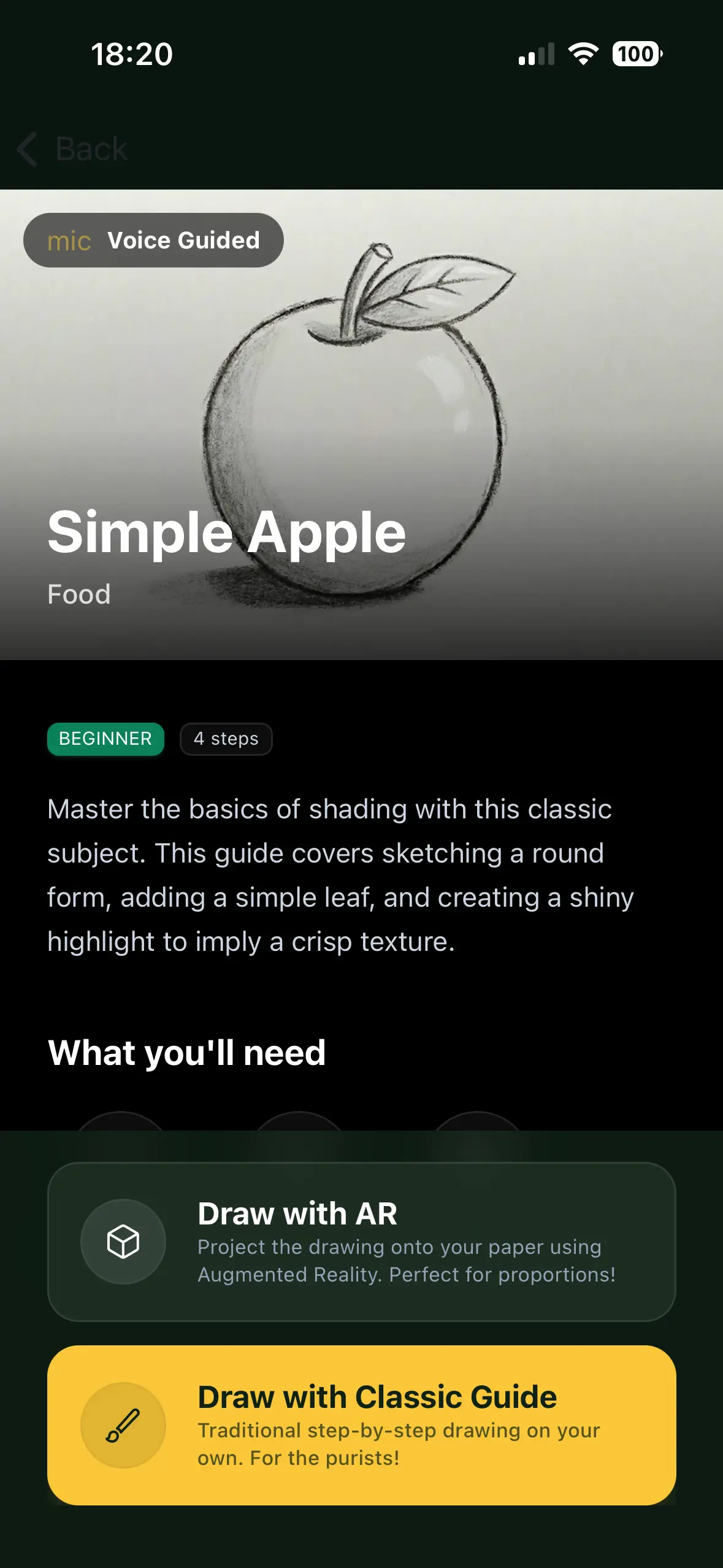
Use line-by-line guidance to draw on paper with your phone or sketch on screen. AR mode and guided layers make hard drawings easier to start.
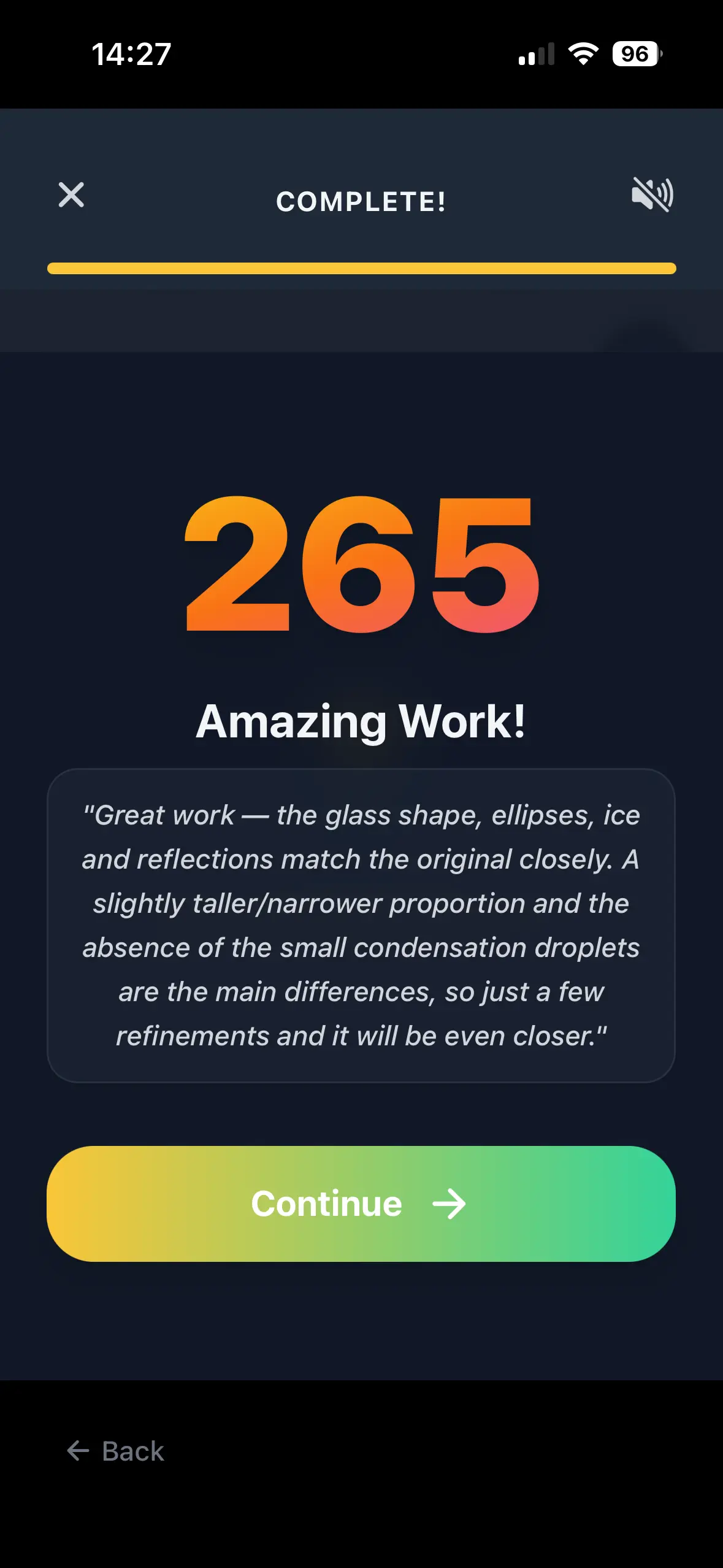
Guidart analyzes your drawing practice in real time and gives AI-powered hints that help you correct mistakes before they become habits.

Track streaks, repeat guided lessons, and celebrate visible progress as you go from learning how to draw for beginners to building a real drawing routine.
Guidart turns passive inspiration into guided practice on iPhone and iPad, so new artists can start drawing on paper right away.
Built for beginners who want to draw on paper, practice consistently, and improve faster.
Start from guided subjects instead of wondering what to draw.
Use your phone as a practical AR drawing assistant on paper.
See mistakes earlier and keep your practice moving.
These guided resources match high-intent searches like AR drawing, draw on paper with phone, AI drawing tutor, drawing practice app, and how to draw for beginners.
Learn how to use augmented reality drawing tools to sketch on real paper with better alignment and confidence.
Explore guideDiscover simple drawing drills that improve line control, shapes, consistency, and confidence for beginner artists.
Explore guideUse your phone as a practical drawing assistant for tracing, reference alignment, and step-by-step sketch practice.
Explore guideUnderstand how AI feedback can support drawing practice, habit building, and step-by-step creative learning.
Explore guideFind out what makes a good phone-assisted drawing app when your goal is to draw on real paper and improve faster.
Explore guideUnderstand what an AR drawing app does, how it helps beginners draw on paper, and where it fits into a real learning routine.
Explore guideThese pages target high-intent searches from beginners looking for the right app, the right workflow, or a stronger tracing alternative.
See what beginners should expect from a drawing app on iPhone and iPad, from guided practice to mobile-friendly learning flows.
Explore pageFind out what makes a good phone-assisted drawing app when your goal is to draw on real paper and improve faster.
Explore pageCompare tracing apps with guided AR drawing and feedback-driven practice if you want to learn more than simple line copying.
Explore pageSee why AI feedback can make a beginner drawing app more effective by shortening the loop between practice and correction.
Explore pageLearn what makes an AR drawing app beginner-friendly and how to choose one that actually helps you improve on paper.
Explore pageBuild a realistic iPad drawing routine with guided lessons, references, and simple steps that beginners can actually repeat.
Explore pageTopic clusters connect broad beginner intent with specific guides, use cases, and mobile drawing workflows.
Learn how to use AR drawing to place lines on paper with more confidence and cleaner proportions.
Explore topicExplore guides about using your phone to draw on paper, trace references, and build drawing accuracy.
Explore topicSee how AI drawing tutor feedback can help you practice more consistently and improve faster.
Explore topicDiscover how mobile drawing apps help beginners practice on iPhone and iPad with more structure and less friction.
Explore topicCompare tracing workflows, AR drawing, and guided practice to find a better way to learn drawing instead of only copying lines.
Explore topicFind the best beginner drawing exercises, daily routines, and step-by-step practice resources.
Explore topicExplore practical resources built around AR drawing, draw on paper workflows, AI drawing tutor feedback, and beginner drawing practice.
Learn how to use augmented reality drawing tools to sketch on real paper with better alignment and confidence.
Read guideUse your phone as a practical drawing assistant for tracing, reference alignment, and step-by-step sketch practice.
Read guideUnderstand how AI feedback can support drawing practice, habit building, and step-by-step creative learning.
Read guideDiscover simple drawing drills that improve line control, shapes, consistency, and confidence for beginner artists.
Read guideSee what beginners should expect from a drawing app on iPhone and iPad, from guided practice to mobile-friendly learning flows.
Read guideFind out what makes a good phone-assisted drawing app when your goal is to draw on real paper and improve faster.
Read guideThese answers help search engines and first-time visitors understand exactly how Guidart supports drawing on paper and beginner practice.
An AR drawing app uses your phone camera and guided overlays to help you place lines on real paper more accurately while practicing drawing.
Yes. Guidart is designed to help you draw on paper with your phone using AR guidance, step-by-step lessons, and beginner-friendly visual prompts.
Yes. Guidart focuses on step-by-step drawing, simple practice flows, and AI feedback that make learning less intimidating for beginners.
An AI drawing tutor helps you spot mistakes faster, reinforces better habits, and gives structure to your daily drawing practice.
Yes. Guidart can help beginners move beyond simple tracing by combining AR guidance, step-by-step practice, and feedback that supports real improvement.
Yes. Guidart is built for iPhone and iPad users who want a mobile drawing practice flow with guided lessons, drawing prompts, and support for drawing on paper.
Download Guidart and start AR-guided drawing practice with step-by-step lessons and AI feedback.
Get the App